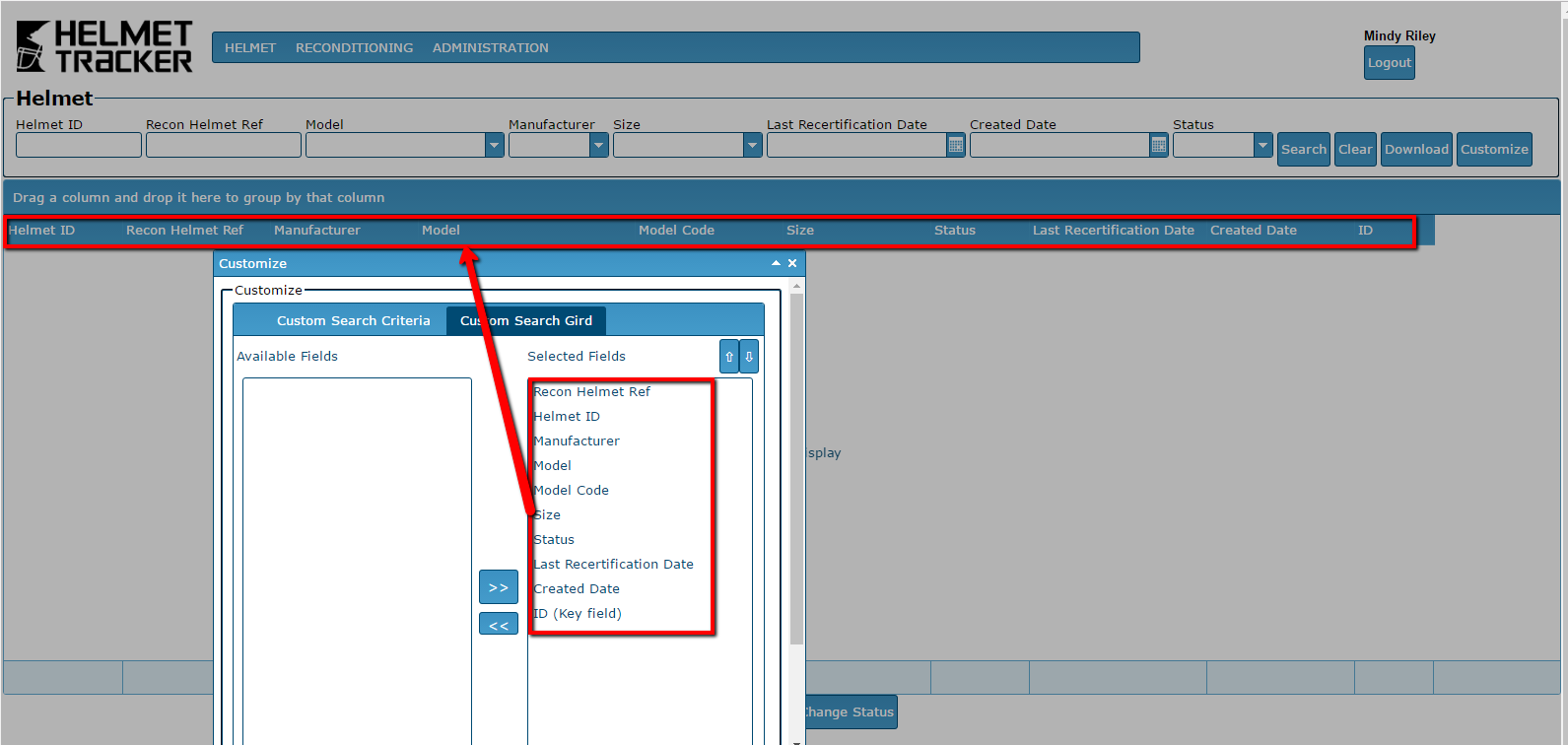
Custom Search Criteria/Grid
This function allows the user to customize both the fields and their display order in both the Search Criteria (top) and Search Grid (lower) areas.
Select Customize button.
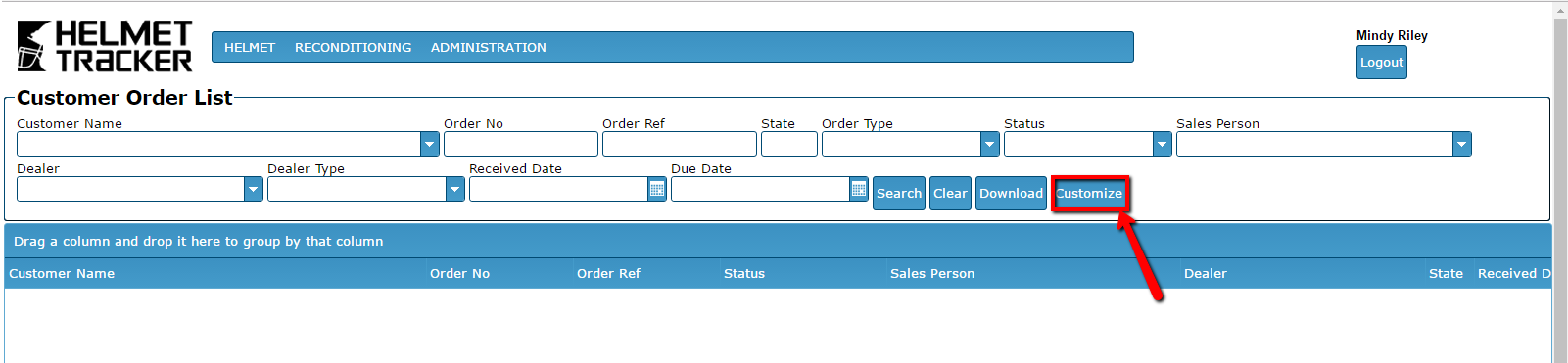
Determine which Search area you are wanting to customize; there
Search Criteria (top of the screen) and Search Grid (middle of the screen).
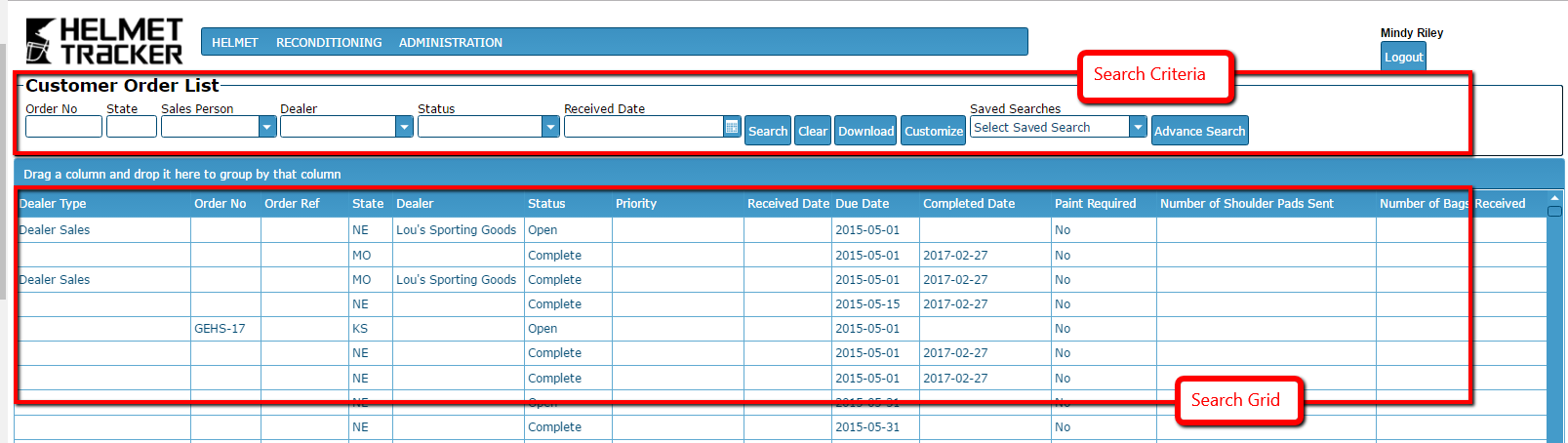
BE AWARE OF WHICH SEARCH function you are updating!
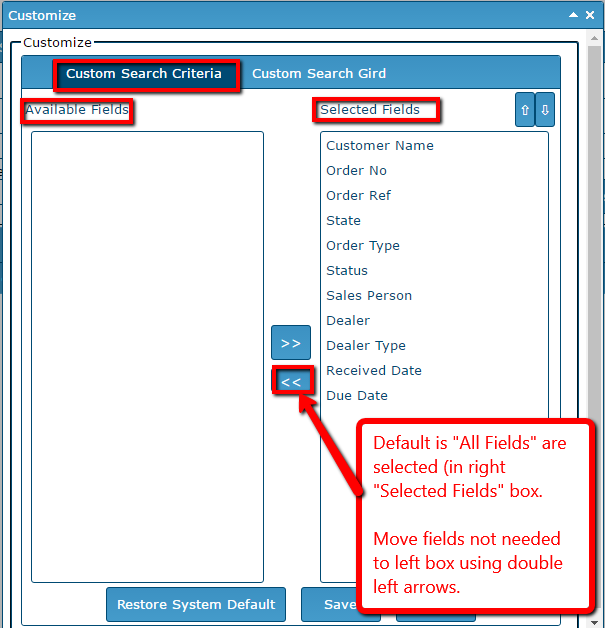
To customize your Search Criteria:
To customize your Search Grid:
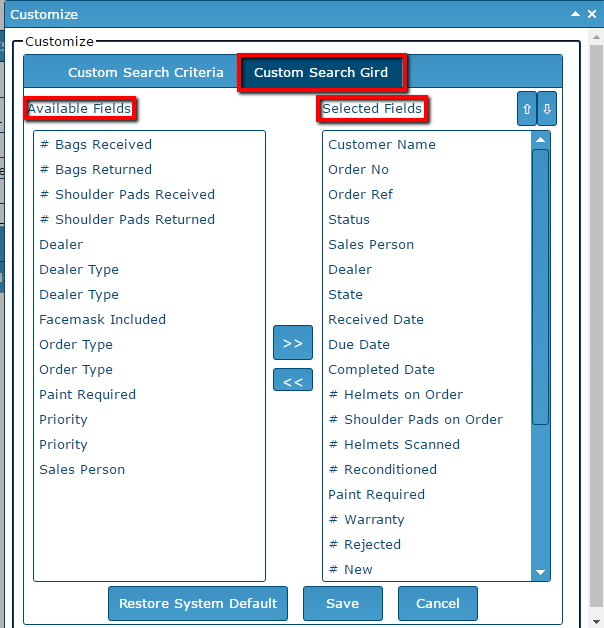
Move fields in and out of the Selected Fields box by selecting the right/left double arrows. Save.
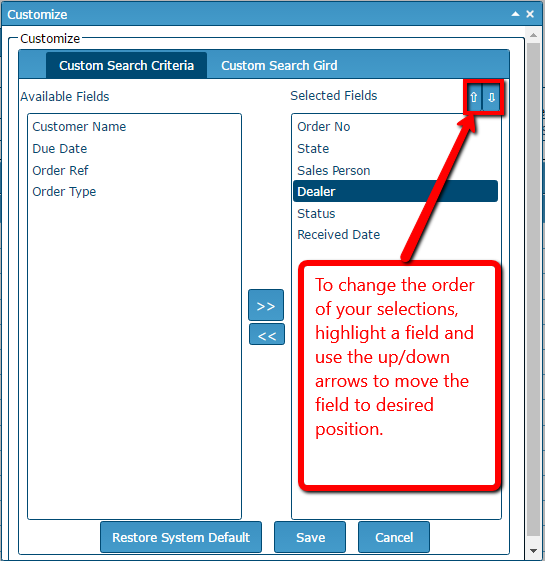
To change
Example of Customized Search Grid: